Winter Solstice 2016
By Robert Ellison.
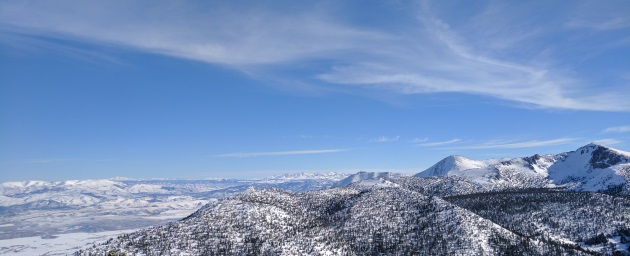
Photo of the Sierra Nevada mountain range, taken from the top of Heavenly Ski Resort.
 In this breathtaking photograph titled "Sierra Nevada," a vast expanse of snow-draped mountains stretches across the frame, under the expanse of a vibrant blue sky. The rolling hills and peaks are blanketed in pure white snow, their contours subtly accentuated by the play of sunlight and shadow. The sky above is a brilliant azure, adorned with wisps of delicate clouds, their gentle curves mirroring the undulating terrain below. The foreground offers a close view of intricately textured trees clinging stubbornly to the rugged slopes, while the distant mountains fade into a softer, dreamlike haze, suggesting both vastness and serenity.
The composition of this photograph is quintessentially panoramic, making use of horizontal lines that guide the viewer’s gaze across the frame, evoking a sense of endlessness and grandeur. The primary technique employed here is the rule of thirds, with the land occupying the lower two-thirds and the sky claiming the top third, creating a harmonious balance between earth and heaven. The depth of field is wide, allowing both foreground and background elements to be in sharp focus, which enhances the terrain's intricate details and adds to the expansive feel. One aspect that stands out is the subtle contrast between the crisp, cool colors of the snow and sky, which creates a serene yet invigorating atmosphere. However, some might find the composition lacks a focal point, which could cause the viewer’s eye to wander without resting. Overall, it is a stunning and contemplative portrayal of an awe-inspiring landscape.
In this breathtaking photograph titled "Sierra Nevada," a vast expanse of snow-draped mountains stretches across the frame, under the expanse of a vibrant blue sky. The rolling hills and peaks are blanketed in pure white snow, their contours subtly accentuated by the play of sunlight and shadow. The sky above is a brilliant azure, adorned with wisps of delicate clouds, their gentle curves mirroring the undulating terrain below. The foreground offers a close view of intricately textured trees clinging stubbornly to the rugged slopes, while the distant mountains fade into a softer, dreamlike haze, suggesting both vastness and serenity.
The composition of this photograph is quintessentially panoramic, making use of horizontal lines that guide the viewer’s gaze across the frame, evoking a sense of endlessness and grandeur. The primary technique employed here is the rule of thirds, with the land occupying the lower two-thirds and the sky claiming the top third, creating a harmonious balance between earth and heaven. The depth of field is wide, allowing both foreground and background elements to be in sharp focus, which enhances the terrain's intricate details and adds to the expansive feel. One aspect that stands out is the subtle contrast between the crisp, cool colors of the snow and sky, which creates a serene yet invigorating atmosphere. However, some might find the composition lacks a focal point, which could cause the viewer’s eye to wander without resting. Overall, it is a stunning and contemplative portrayal of an awe-inspiring landscape.
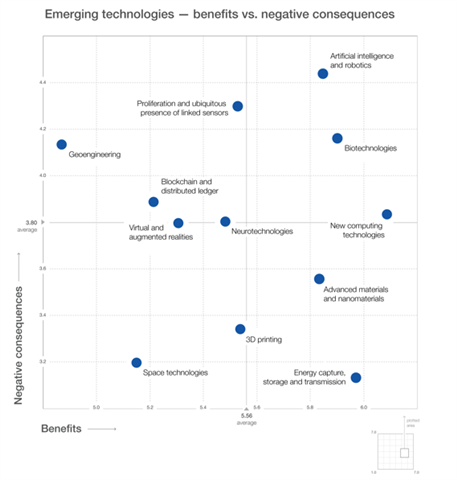
The World Economic Forum has published a risk/reward matrix for 12 key "emerging" technologies. You'd think this would be pretty good, because:
"The report’s conclusions on risk are heavily based on its Global Risks Perception Survey, which gathers the opinions of the World Economic Forum’s multi-stakeholder communities of leaders from business, government, academia and nongovernmental and international organizations. Members of the Institute of Risk Management are also consulted."
For some reason IoT devices are the second highest risk. Ahead of biotechnology (we're all dead from an engineered virus), nanomaterials (we're all dead because we're now gray goo) and space technologies (we're all dead because we provoked a violent alien civilization).
The least benefit comes from Geoengineering. Because with Trump in power I'm sure we're going to solve Global Warming via emission cuts. There is apparently more benefit in Virtual Reality and even more in 3D Printing.
(Image from World Economic Forum)
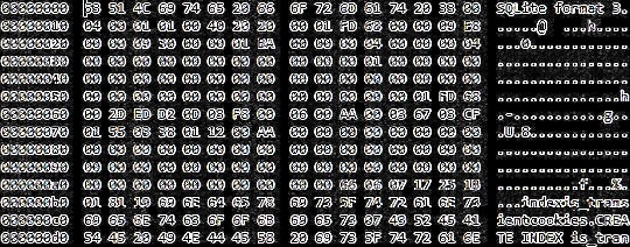
If you give a browser a cookie, it’s going to ask for local storage.
When you give it the local storage, it’ll probably ask you for a list of system fonts. When it’s finished, it’ll ask you for your screen resolution.
Then it’ll want to look to see if Flash cookies are supported. It’ll probably create a local shared object.
When it’s finished with the local shared object it’ll want more things to hash. It will hash your timezone and language. It might get carried away and hash every supported plugin. It may even end up hashing the platform and user agent.
When it’s done it’ll probably want to check out your WebGL. You’ll have to tell it your WebGL vendor and renderer. It’ll probably ask you to open a HTML5 canvas.
When it looks at the HTML5 canvas, it’ll get so excited it’ll want to draw it’s own hidden image. Then it’ll want to hash the image as well.
Looking at the image will remind it that it should store the hash somewhere. So it’ll ask for local storage.
And chances are if it asks you for local storage, it’s going to want a cookie to go with it.
(With apologies to Laura Numeroff, and you may be a snowflake yourself. Learn more about browser fingerprinting.)

I think I'd be more likely to subscribe if you'd take a charger away. Most right thinking gadget vendors don't even include them anymore.
Even better than threatening to send me e-waste: skip the news bit (it's already stale) and send my Kindle a monthly compendium of analysis.
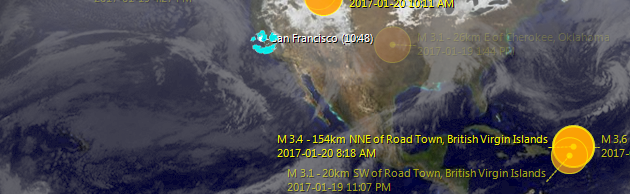
Is it just me or is the weather radar smiling at San Francisco right now?
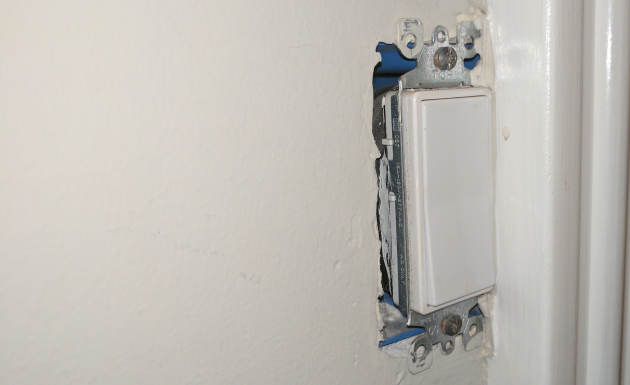
This stupidly placed light switch has been niggling around near the bottom of my list for nearly three years. It's probably sat there with its wires exposed for closer to thirteen, since the kitchen was remodeled by the previous owners.
I could have hunted down a plate and tried to saw a bit off I guess but we got a 3D printer for Christmas and I finally fixed it:
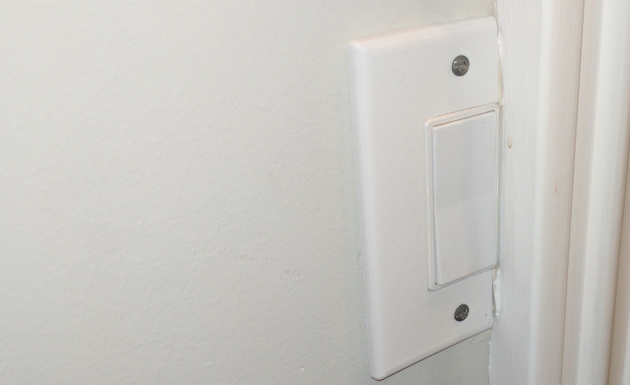
This was easier than I thought once I discovered that this sort of switch is a Decora Duplex. I grabbed this model from user KHF on 3D Warehouse (thanks!), chopped the edge off in FlashPrint, two failed prints (glue, then hairspray, then figuring out the temperature was wrong) and only slightly sliced open my thumb removing the supports. Welcome to the future!
I seriously considered giving up Facebook as a New Year's resolution when it became clear that fake news was one of the many things that cost Hillary the election.
Not because of what other people might believe. The problem is me. I get my news primarily from the BBC and NPR. I cruise through RSS feeds and podcasts. I'm a savvy media consumer with a well honed bullshit filter. And then I fell for this:

It just continued to show up in my Facebook feed reposted from various friends and it wormed its way in as something totally Trumpian and plausible and, well, truthy. Which it isn't. I felt like I'd got as far as filling in the wire transfer form before stopping to think that the Nigerian Prince probably didn't need my personal help with expatriating his fortune. I didn't share it or quote it thankfully but it's like that study where everyone thinks they are a better than average driver. I'm vulnerable to this shit.
I keep reading articles about being a better Facebook user and always checking that the site hosting a story is reputable and written by people who have a footprint outside the site and reverse-searching any images to see if they've been used out of context etc etc etc. Which is implausible if you have more than one friend and comes across as victim blaming.
The horrible danger is that if you don't fact check every stupid quote on image meme the power of repetition lodges them somewhere in your subconscious where they become that thing that you read somewhere. Which is OK if you only read quality news but deadly if you want to catch up on old friends quickly.
What I really want is the friend part without the democracy ending bullshit part.
I tried Diaspora and App.net but they make Google Plus look lively. Facebook, I would pay you for an ad-free, brand-free experience. Also a ban on text on images.
I've been trying to block all the fake news sites that show up in my feed but for some reason that option isn't always available. Also that's probably an impossible task unless Facebook decides to offer shared block lists. Which is probably against their best interest.
I wrote this post to talk myself out of not using Facebook but I don't think I've managed to convince myself yet...
(Meme image grabbed from CNN).
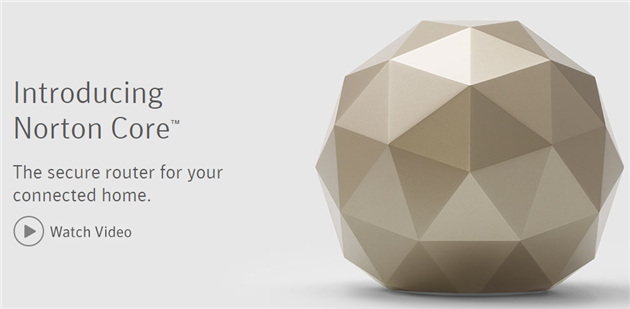
A few months ago I wrote about my cunning plan to stop Internet of Things botnets: stop them at the router.
It's just possible that these were in the works before that post but Symantec, BitDefender and Intel unveiled router level IoT security at CES this year. Not as hard core as my plan, but looks like a useful start.
(Image from Norton Core website).
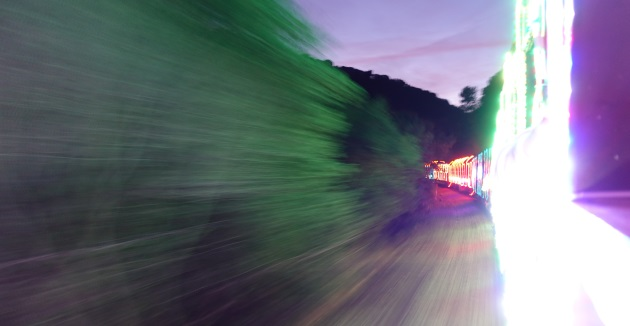
Photo of the Train of Lights on the Niles Canyon Railway.
Robert Ellison's blog, I Thought He Came With You, on the Fediverse via fed.brid.gy. Photography, time lapse, programming, politics, hikes and more.