Memo to future: How to reassemble Kate’s cot

By . Updated on

cot-step1

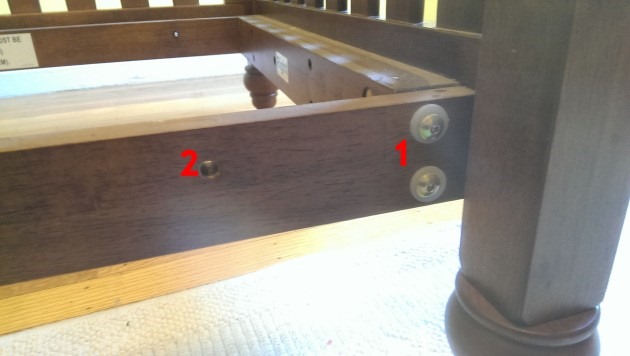
The long bolts with plastic washers attach to the head and foot of the cot (1). These are easier to screw in using a drill with a hex bit. Put the four smallest bolts through the holes (2) before attaching the sides or you'll be taking the sides off again. These will be used to attach the mattress spring.

cot-step2

Cams go in the head and foot (1), smallest bolts as described above (2).

cot-step3

Now just attach the sides with the medium bolts and then the mattress spring using the wing nuts.

cot-step4

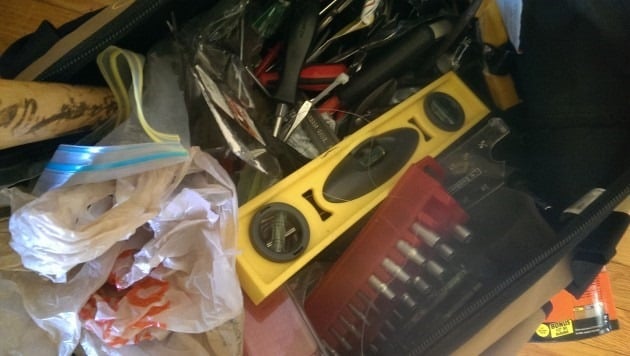
Missing one of the medium bolts? It's in this bag somewhere. When asking Kate to help by putting bolts in a bag remember to be very, very specific about which bag next time. The rest of the hardware is in a Ziploc in a side pocket.

Catfood Earth 3.20

By . Updated on

Catfood Earth 3.20

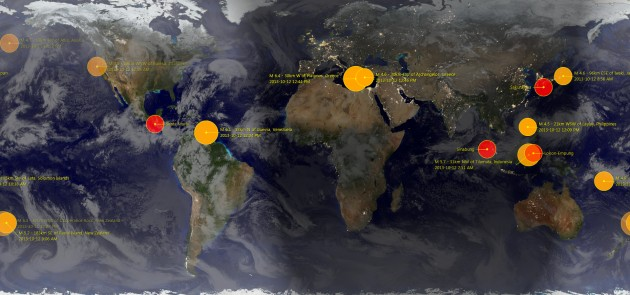
Catfood Earth 3.20 for Windows is now available for download. This update fixes a change in the feed address for the earthquakes layer. I've also switched to using the new NASA Black Marble night-time image and 3.20 includes the latest time zone and political border data.

Earth for Android has been updated to 1.30. This includes the new Black Marble image.

Immature Gmail Exploit

By . Updated on

Immature Gmail Exploit

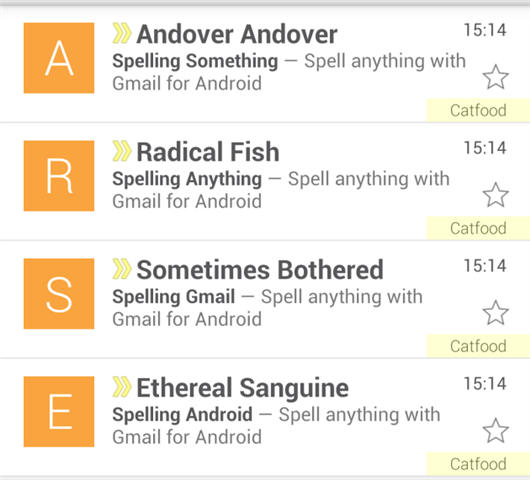
The Gmail Android client helpfully puts the first letter of the name of the person who emailed you in a big block at the left of the mail list (I guess if you have Google Plus friends you probably get a photo instead). But it's pretty easy to change the from name in your email client and trivial to do this programmatically.

Tips... spell your message backwards and use a different subject line for each email so they don't get grouped together.

Google Spreadsheets API and Column Names

By . Updated on

Google Spreadsheets API and Column Names

I had a play with the Google Spreadsheets API recently to feed in some data from a C# application. The getting started guide is great and I was authenticated and adding dummy data in no time. But as soon as I started to work with real data I got:

"The remote server returned an error: (400) Bad Request."

And digging deeper into the response:

"We're sorry, a server error occurred. Please wait a bit and try reloading your spreadsheet."

The original sample code still worked so it didn't seem like any sort of temporary glitch as the message suggests. After much hair torn it turns out I was getting this error because I had used the literal column names from my spreadsheet. The API expects them to be lower case with spaces removed. If not columns match you get the unhelpful error above, if at least one column matches you get a successful insert with some missing data.

Error messages are one of the hardest parts of an API to get right. If you're not very detailed then what seems obvious to you can leave your developers stumped.

Hope this helps someone else...
Robert Ellison's blog, I Thought He Came With You, on the Fediverse via fed.brid.gy. Photography, time lapse, programming, politics, hikes and more.