Links for February 2026

By . Updated on

I'm following @ml@social.mitexleo.one. ∞


I'm following @retiolus@mamot.fr. ∞


I'm following @matokie@mastodon.social. ∞


I'm following @mikef@messydesk.social. ∞


Google Apps Script created by primary email (domain), and it opens the blank script in secondary (gmail)

This drives me nuts every time I open apps script and need to switch the account. #google #appsscript #gas


I'm following @AirlineReporter@avgeek.social. ∞


Image to 3D Asset with TRELLIS.2

This is cool, a Microsoft model to convert a photo to a 3D model. I ended up with a dog with two tails but otherwise pretty decent. #3d #ml #microsoft

Building a Digital Photo Frame

Building a Digital Photo Frame

Google recently bricked my digital photo frame, so I set out to build a new one. I did this in two parts - a Raspberry Pi to display the photos, and a C# script to preprocess them. The second part is optional but worth it.

The display side of the project turned out to be way easier than I thought. There is a utility called fbi that will run a slideshow to a HDMI monitor. Create a boot SD card from the lite version of Raspberry PI OS, copy over your photos and then run:

sudo apt-get update
sudo apt-get -y install fbi

You can then connect a monitor and test that images are displaying as expected.

Create a file called launch.sh with the following:

#!/bin/sh
# launch.sh
# run photos
sleep 2m
fbi -T 1 -noverbose -mode 1366x768-30 -t 60 -u -blend 1500 -a /home/rob/photos/*.jpg

-T 1 uses the first display, -noverbose just shows the photos, -mode depends on your monitor and is likely safe to omit, -t 60 changes the image ever sixty seconds, -u displays in a random order, -blend 1500 cross fades for 1.5 seconds between images, -a is auto zoom and the path at the end is where ever you copied your photos to.

The sleep 2m command allows the system to complete booting and bring up the login prompt. Without this the photos might start first and then the login shell ends up on top, which is pretty boring.

Make the script executable (chmod 755 launch.sh) and then edit your crontab:

sudo crontab -e

Add the following:

@reboot sh /home/rob/launch.sh >/home/rob/logs/cronlog 2>&1
30 22 * * * /sbin/shutdown -h now

The first line runs the launch.sh script at startup and sends any output to a log file (adjust paths to your system). The second line will shut down the Pi at 10:30pm every day. I use this so I can control when it's running with a smart plug - the plug turns everything on at 7am and off at 10:45pm, and the shutdown prevents the Pi from getting in a bad state from having power removed unceremoniously. If you want it running all the time just omit this line.

Reboot and you should have a working digital photo frame. Fbi will do a reasonable job with your photos, but I wanted something better.

The C# script below preprocesses all my photos to make the best use of the frame. I'm using an old 1366x768 TV so I want all the photos at that resolution and 16x9 aspect ratio. Many of my photos are 4x3, or 3x4, or 9x16, or something else entirely. I don't want any black borders so cropping will be involved.

Cropping is handled by detecting faces and then trying to keep as many in frame as possible. This uses FaceAiSharp.

Photos are processed in two stages. The first stage just crops horizontal photos to fit the screen. Any vertical photos are saved in a list, and then paired using image embeddings (CLIP using this code). My implementation pairs the most similar photos - it would be easy to do the most different as well.

Here's the code. I run this with C# 9 in VSCode on Windows. You'll probably want to change the input and output folders, and possibly the output resolution as well:

Simple Perceptron

By . Updated on

Simple Perceptron

Adding AI to Todoist with Google Apps Script and OpenAI

By . Updated on

An AI completes a task on a To Do List

This simple script adds useful AI to Todoist and runs in the cloud on Google Apps Script.

I use Todoist to run my life, and my dream is for it to be able to complete certain types of tasks for me. With OpenAI Operator and Anthropic Computer Use this is getting closer and closer to reality. Yes, there is a risk that Todoist spends all of my money on paper clips. But there is also the upside that it will eventually do my weekly shopping, pay my bills and call back the dentist's office. Google's new Ask for Me is promising too, even if right now it's just going to bother nail salons out of existence.

I already put together an Alexa replacement using a Raspberry Pi and the OpenAI realtime API. It switches lights on and off, adds things to my to do list, figures out when the next L is coming and more (I'll blog more about this soon).  One thing I learned is that this kind of thing can get pretty expensive. I can see why Amazon is procrastinating on an LLM Alexa. But costs keep going down, and the future will get more evenly distributed over time.

The first version of this script has two objectives. Respond to tasks, and create calendar events. Here's the script:

To get this working you need API keys from OpenAi and Todoist. Perplexity is optional, if you have a key add it at the top. It only works with tasks that have the right label, ai is the default - you can change this with AI_TASK_LABEL. I initially developed this with o1, but it looks like the tool use was rushed out too quickly and it calls the same tool repeatedly. GPT-4o works well enough and you can test switching out the model by changing OPENAI_MODEL.

Quick configuration guide - create a Google Apps Script project in Google Drive. Paste in the code above and add your API keys and any other desired configuration changes. Go to Project Settings in the right hand navigation and make sure your time zone is correct. Then go to Triggers and schedule the function trigger to run periodically (I use every 5 minutes). You should be done.

Back in Todoist add the ai label to a task (or whatever label you set in the script) and the AI will respond. With the current script there are two use cases - ask it to create an event (it can invite people, add details to the description, etc.), or ask it to research some aspect of the task you're working on. I think this is helpful because it has the full context of the task, and while you're working in Todoist it's useful to store the history there as well.

The point here is to extend the number of tasks that the script can take on. Add new tools for the AI to consider in the getTools() function, and then wire that tool into an implementation in generateAIResponse(). createCalendarAppointment() is a good example of using built in Google services - as well as the calendar it's pretty easy to interact with email, Google docs and many more. I'm planning to add file uploads as well, and will update this post with iterations of the script that add helpful functionality.

OpenAI recommends around 20 tools as the maximum. At that point it might be necessary to break this up into multiple assistants with different tool collections.

Let me know in the comments if you manage to use this to start crossing anything off your list.

Updated 2025-02-17 01:18:

Updated the script to support images and Perplexity.

Image support takes advantage of multimodal input. Any image attachments will be sent as part of the conversation. This uses the large thumbnail in Todoist by default. It supports JPEG, GIF, PNG and WEBP. If a thumbnail is not available it will send the full size image without resizing, depending on how large this might not be accepted by OpenAI.

Perplexity is implemented as a tool (so OpenAI is always called, and it may optionally call out to Perplexity to get more information). This is useful for web search, local search and knowledge past the training cutoff for the OpenAI model. It's optional, if you don't include a Perplexity API key then it just won't be used.

Here's a simple use case - add a photo of a book and ask Todoist to find the URL where you can order it on Kindle.

San Francisco Budget Chatbot (GPT)

GPT for the San Francisco Budget

I just published a San Francisco Budget GPT to the ChatGPT store. This is free to use, you just need an OpenAI account.

The chatbot is constructed from the 2010-2025 data available on DataSF, the most recent 2025-2026 budget draft and a five year revenue projection. I added some instructions to help interpret the data and I've tested against a range of queries. This is generative AI and so be cautious about what it says. It's pretty good when it can find the right data and will happily invent things if it can't.

Not that this is limited to chatbots. There was a lot of press yesterday around San Francisco being the worst run city in the nation based on this 'analysis' from WalletHub. They are dividing a measure of service quality by budget dollars per capita. This fails to take into account that San Francisco is a city and a county and so the budget includes county services like a Sheriff department. It also ignores that San Francisco runs an international airport and port, not paid for by taxpayers but still in the budget. And it doesn't adjust for regional differences in income that make services more expensive to provide (and higher total dollar taxes to provide them). So I'll take an occasional chatbot glitch over a willfully incurious press pushing out a PR piece that tickles their confirmation biases.

Enjoy, and let me know if it works for you.

Links for April 2024

By . Updated on
NYTimes: This Artificially Intelligent Pin Wants to Free You From Your Phone

Nope: "To unlock the device with a passcode, hold out your hand to project a green laser onto your palm. Pulling your hand outward increases the number while pulling it inward decreases it, and you select each digit by pinching two fingers on the same hand." #ml #humane

--

Why did all the Little Chefs disappear?

Little Chef promise to swap your empty plate for our lollypop. Can't have been cheap. #littlechef

--

San Francisco’s Train System Still Uses Floppy Disks - and Will for Years

“The system is currently working just fine, but we know that with each increasing year, risk of data degradation on the floppy disks increases and that at some point there will be a catastrophic failure,” - maybe save $400M with a floppy emulator and a USB stick? #sfmta #muni #sanfrancisco

Download a Sharepoint File with GraphServiceClient (Microsoft Graph API)

By . Updated on

Demons protect a PowerPoint presentation from developers trying to access it.

There is a stunningly simple way to get a file out of sharepoint and I'll get to that soon (or just skip to the very end of the post).

I have been automating the shit out of a lot of routine work in Microsoft Teams recently. Teams is the result of Skype and Sharepoint having too much to drink at the Microsoft holiday party. It often shows. One annoyance is that channel threads are ordered by the time that someone last responded. Useful for quickly seeing the latest gossip but a pain when you need to keep an eye on each individual thread. After listlessly scrolling around trying to keep up with the flow I came up with a dumb solution - I sync the channel to Obsidian (my choice of note app, could be anything) and then I can just check there for new threads. It's a small convenience but has meaningully improved my life.

Unfortunately I got greedy. These messages usually have a PowerPoint presentation attached to them and so why not have an LLM summarize this while updating my notes?

It doesn't look like Copilot has a useful API yet. You can build plug-ins, but I don't want to talk to Copilot about presentations, I just want it to do the heavy lifting while I sleep so I can read the summary in the morning. Hopefully in the future there will be a simple way to say hey, Copilot, summarize this PPTX. Not yet.

So the outline of a solution here is download the presentation, send it ChatGPT, generate a summary and stick that in Obsidian. This felt like a half hour type of project. And it should have been - getting GPT4 Turbo to summarize a PPTX file took about ten minutes. Downloading the file has taken days and sent my self esteem back to primary school.

You would think that downloading a file would be the Graph API's bread and butter. Especially as I have a ChatMessage from the channel that includes attachments and links. The link is for a logged in human, but it must be easy to translate from this to an API call, right?

It turns out that all you need is the site ID, the drive ID and the item ID.

These IDs are not in the attachment URL or the ChatMessageAttachment. It would be pretty RESTful to include the obvious next resource I'm going to need in that return type. No dice though.

I tried ChatGPT which helpfully suggested API calls that looked really plausible and helpful but that did not in fact exist. So I then read probably hundreds of blogs and forum posts from equally confused and desperate developers. Here is a typical example:

"Now how can I upload and download files to this library with the help of Graph API (GraphServiceClient)."

To which Microsoft, terrifyingly, reply:

"We are currently looking into this issue and will give you an update as soon as possible."

Before eventually suggesting:

"await graphClient.Drives["{drive-id}"].Items["{driveItem-id}"].Content.GetAsync();"

Ignoring the sharepoint part and glossing over where that drive ID is coming from. Other documentation suggests that you can lookup your site by the URL, and then download a list of drives to go looking for the right one. Well, the first page in paginated drive collection anyway implying that just finding the ID might get you a call from the quota police.

I know Microsoft is looking after a lot of files for a lot of organizations, but how can it be this hard?

It isn't. It's just hidden. I eventually found this post from Alex Terentiev that points out that you just need to base64 encode the sharing url, swap some characters around and then call:

"GET https://graph.microsoft.com/v1.0/shares/{sharing-url}/driveItem"

If Google was doing its job right this would be the top result. I should be grateful they're still serving results at all and not just telling me that my pastimes are all harmful.

The documentation is here and Microsoft should link to it on every page that discusses drives and DriveItems. For GraphServiceClient the call to get to an actual stream is:

"graphClient.Shares[encodedUrl].DriveItem.Content.GetAsync()"

Rob 2.0

By . Updated on

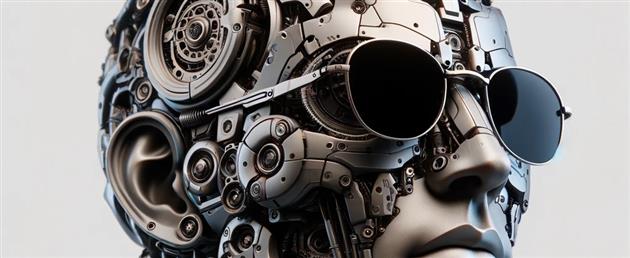
A robot head

If I'm going to be replaced with AI then I may as well be the person to do it. I need an AI Rob that I can be proud of and that's going to take some work.

My approach so far is to generate some training data. I've answered lots of questions in a spreadsheet. This is an ongoing project and there will be dot releases as I work towards a usable product (one that I can just plug into email or Teams). Probably this is going to require a mix of fine tuning and retrieval augmented generation (RAG). To start with I'm just fine tuning GPT 3.5 Turbo from OpenAI.

Fine tuning was painless. As usual the difficult part was randomly trying different versions of Python to find one that would coexist with some stubborn dependency (tiktoken in this case, which will live with Python 3.11 but is very unhappy with Python 3.12).

You can try this below - just leave a comment and Rob 2.0 will reply. Anything you post goes through the regular moderation system, this is just to stop spam. any legitimate questions are fair game (and likely to make it into the training corpus if the answer is no good!).

Due to safety systems it doesn't swear like the real thing. That might require a different model / corporate host at some point in the future. I'll update this post as I make progress.

Updated 2023-12-20 00:46:

I had most of a day spare today and so decided to get a little closer to my own personal singularity. Rob 2.1 is live and answering your questions in the comments below.

The first thing I did was add a few hundred more questions and answers to my training data set. I then fine tuned GPT 3.5 on the new data.

I wanted to get the LLM trinity - prompt, retrieval augmented generation (RAG) and fine turing. Initially I thought that I could just use the OpenAI assistant API to get there, and I got as far as coding the whole thing up before stubbing my toe on a harsh reality. It only supports retrieval for gpt-3.5-turbo-1106 and gpt-4-1106-preview. Hopefully this changes at some point but no way to get everything I need from assistants yet.

Not a big deal - I rolled up my sleeves (and also GitHub Copilot's sleeves) and added my own RAG based on the Q&A training data and refined my prompt to include the most relevant answer as well as some more specific instructions. It's pretty basic - whatever you ask is compared to the existing question library using cosine distance of OpenAI embeddings. Maybe I'll add a vector database if I have the patience to answer enough questions about myself, but a brute force in memory search works fine for now.

Updated 2026-01-17 23:20:

Rob 2.2 is live with some small updates. I've dropped fine tuning so there is a big leap forward from GPT 3.5 Turbo to 5.2. This has become a lot more verbose and while not emdashy it isn't quite nailing the right style. I have also been working on a version to send to meetings. A combination of Attendee and Tavus is frighteningly effective.

Updated 2026-06-20 21:14:

Another leap forward in the questionable project of Rob replacement with Rob 2.3. This moves to GPT 5.5 which probably helps a little but the major improvement is moving from my home grown RAG to a full vector store. I added a markdown export feature to the blog, so that vector store contains my growing library of questions and answers combined with 202,123 words of variable quality from the past 20+ years of posts. Ask me anything.

Shipping a website in a day with Generative AI

By . Updated on

Can you tell me a story about a shop?

It usually takes me a few weeks to get a new website up and running. Last weekend I tried an experiment with Cloudflare Pages and generative AI.

I have wanted to find an excuse to test Pages for a while. It's a pretty awesome product. I'm not doing anything too fancy with it - I have a local generator app that creates the pages for my site. Committing to the right branch in git automatically deploys to Cloudflare's edge network. It seems to do the right thing with all the file types I've thrown at it so far. My only complaint at this point is that it doesn't handle subdirectories. Everything needs to hang off the root unless you want to write some code. I think this is possible with Cloudflare Workers but that's for another day.

The generative piece is automatically writing content for review and publication. For each generated page I'm creating a prompt to write the post, and then another prompt to summarize it for meta descriptions and referencing it from other pages. I also create an embedding to use for interlinking related posts. Finally I create a third prompt to gin up an appropriate image. The site generator stitches these together into HTML and as soon as I commit, the updates are live.

The site is not yet a work of art, and there is plenty to optimize and add, but the basic thing was working in a few hours. It's all ridiculously cheap as well. I'm more than a little frightened for Google given how much of this must be going on right now. And then the next generation of LLMs will be trained on the garbage produced by the current crop.

My super rapid site is called Shop Stories, collecting / dreaming takes of ecommerce heroics. I'll report back if anyone goes there.

Predicting when fog will flow through the Golden Gate using ML.NET

Predicting when fog will flow through the Golden Gate using ML.NET

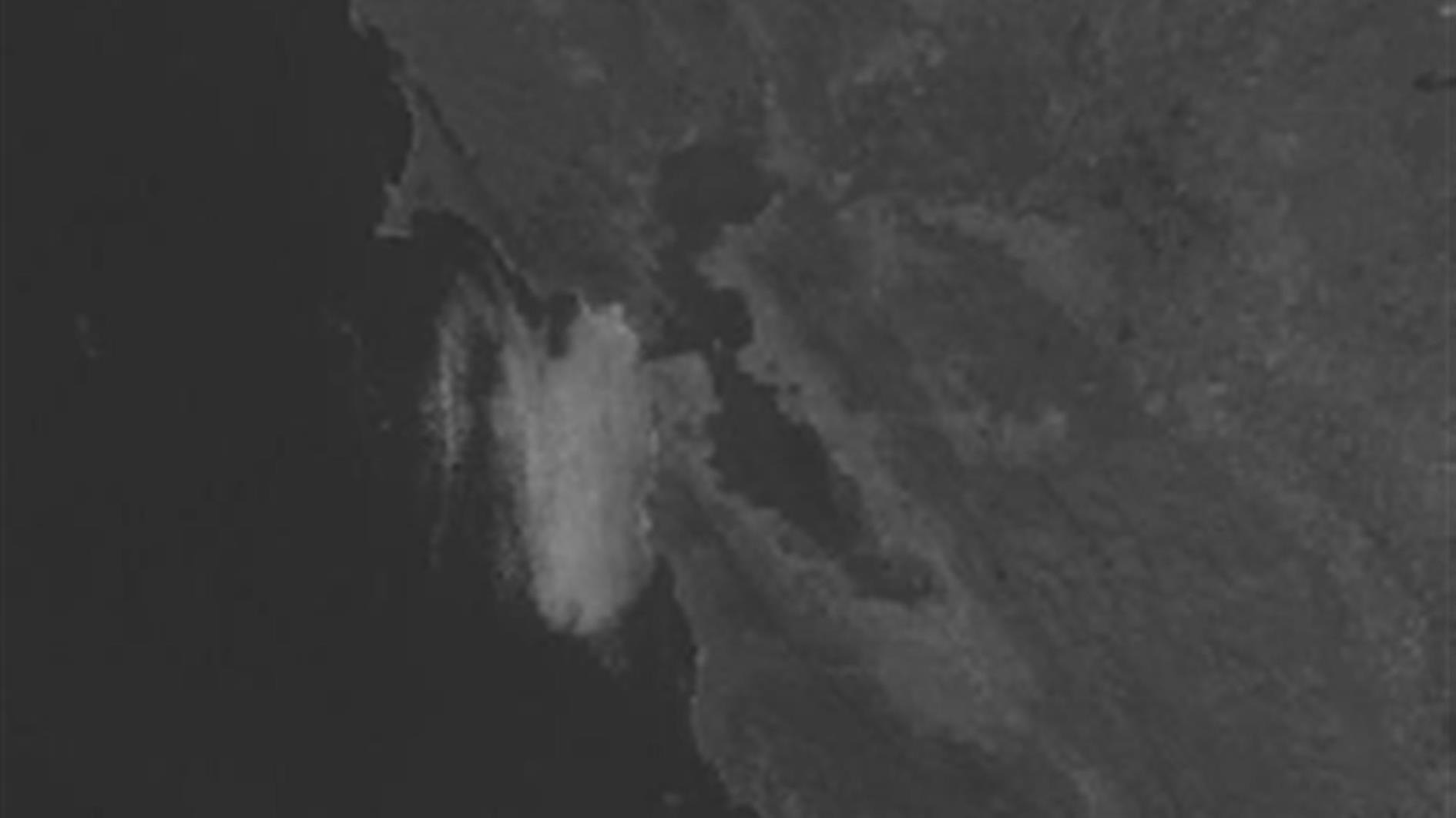
I'd like to make a time lapse of the moment when fog enters the Golden Gate and flows under the Golden Gate Bridge. It's surprisingly hard to know when conditions will be just right though. Often the weather is pleasant at my house while the fog is sneaking through and there is very little chance of me checking a webcam or satellite image. I decided to fix this about a year ago and started collecting data. The best bet seemed to be GOES-West CONUS - Band 2 which is a high resolution daylight satellite image that shows clouds and fog. I put together a Google Apps Script project to save an hourly snapshot and left if running. Here's a video of the data so far, zoomed in for a HD aspect ratio and scaled up a bit:

It's pretty obvious to me when conditions are just right. Could an ML model learn that this was about to happen from an image that was three hours older?

The first step was dividing thousands of images into two classes - frames where the fog would be perfect in three hours and frames where this was not going to happen. I built a little WPF tool to label the data (I don't use this often these days and every time I do I marvel at how the Image control has defaults that won't show the image FFS). This had the potential to be tedious so I built in some heuristics to flag likely candidates and then knocked out the false positives. Because the satellite images include clouds there is often white in the Golden Gate that is cloud cover rather than fog. At the end of the process I had two subfolders full of images to work with.

My goal this weekend was to get something working, and then refine every few months as I get more data. Right now I have 18 images that are in the Fog class and 7,539 that are NoFog. I also wanted this running on my blog, which is .NET 4.8 and will stay that way until I get a couple of weeks of forced bed rest. ML.NET says that it's based on .NET Standard and so should run anywhere.

Having local automl is very cool once you get it working. For large datasets this might not be a great option, but not having to wrangle with the cloud was also very appealing for this project.

Getting GPU training configured involved many gigabytes of installs. Get the latest Visual Studio 2022. Get the latest ML.NET model builder. Sign up for an NVIDIA developer account and install terrifyingly old and specific versions of CUDA and cuDNN. This last part was the worst because the CUDA installer wanted to downgrade my graphics driver, warned directly that this would cause problems and then claimed that it couldn't find a supported version of Visual Studio. I nervously unchecked everything that was already installed, and so far model builder has run fine and I don't seem to have caused any driver problems.

For image classification settings you can choose micro-accuracy (the default), macro-accuracy, logarithmic loss, or logarithmic loss reduction. Micro-accuracy is based on the contribution of all classes and unsurprisingly it's useless in this case as just predicting 'no' works very well overall. Maco-accuracy is the average of the accuracy of each class and this produced reasonable results for me. Possibly too good, I probably have some overfitting and will spend some time on that soon.

After training the model builder has an evaluate tab which is pretty worthless, at least for this model/case. You can spot check the prediction for specific images, and then there is one overall number for the performance of the model. I'm used to looking at precision and recall and it looks like I'll have to spend some time building separate tooling to do this. Hopefully this will improve in future versions.

At this point I have a .NET 6 console application that can make plausible looking predictions. Overall I'm very impressed with how easy it was to get this far.

Integrating with my blog though was very sad. After a lot of NuGet'ing and Googling I came to realize that ML.NET will not play nice with .NET 4.8, at least for image classification. Having dared to anger the NuGet gods I did a git reset --hard and called out to a new .NET 6 process to handle the classification. For my application I'm only running the prediction once per hour so I'm not bothered by performance. That .NET Standard claim proved to be unhelpful and I could have used just about anything.

The model is now running hourly. I have put up a dedicated page, Golden Gate Fog Prediction, with the latest forecast and plan to improve this over time. If this would be a useful tool for you please leave a comment below (right now it emails me when there is a positive prediction, it could potentially email a list of people).

Updated 2023-03-12 23:24:

After building some tooling to quantify this first model I have some hard metrics to add. Precision is 23%. This means there is a high rate of false positives. Recall is 78%. This means that when there really is fog the model does a pretty good job of predicting it. Overall the f1 score is 35% which is not great. In practice the model doesn't miss the condition I'm trying to detect often but it will send you out only to be disappointed most of the time. I'm not that surprised given how few positive cases I had to work with so far. My next steps are collecting more training data and looking more carefully at the labeling process to make sure I'm not missing some reasonable positive cases.