Winter Solstice 2016
By Robert Ellison.
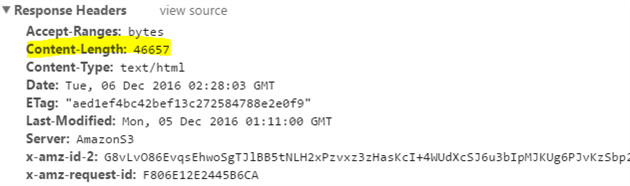
By default compression doesn't work in CloudFront for a website backed by an Amaxon S3 bucket.
The first step is pretty obvious - switch on compression in CloudFront:

To get to this setting open you distribution, go to the Behaviors tab and edit your behavior(s). Scroll down to the bottom and toggle Compress Objects Automatically to On. Save and drum your fingers while the distribution updates.
The less obvious piece is that CloudFront will only compress files between 1,000 and 10,000,000 bytes (as of writing this post) and it detects the filesize from the Content-Length header. What the documentation doesn't mention is that S3 does not send the Content-Length header by default and so no compression is applied.
Go to S3 and open the properties for your bucket (not for individual files). Expand Permissions and then click Edit CORS Configuration. You need to add Content-Length as an allowed header like this:
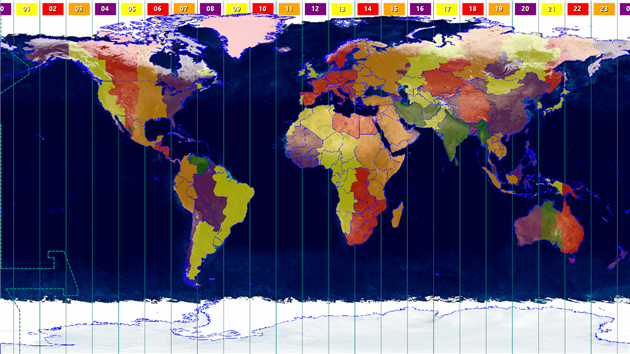
Catfood Earth 3.42 is a small update to the latest (2016d) timezone database and the latest timezone world and countries maps from Eric Muller. If you use the political borders, places or time zones layers in Catfood Earth then you'll want to install this version.
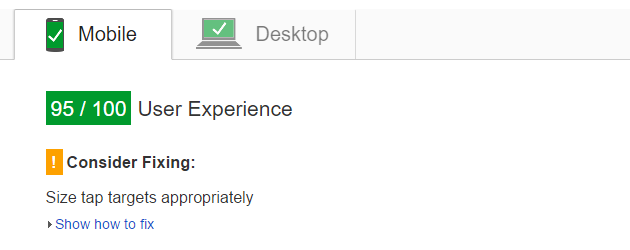
Here's a quick script to automatically monitor your Google PageSpeed Insights desktop and mobile scores for a web page, together with core web vitals (LCP, INP and CLS):
You need a spreadsheet with a tab called results and an API key for PageSpeed Insights and the CrUX API (activate the APIs in the console and create an API key for them, the browser based / JavaScript option). Paste the code above into the script editor for the spreadsheet and add your API key and URLs to monitor. Then just choose triggers from the Resources menu and schedule the monitor function to run once per day.
The script will log the overall PageSpeed score out of 100 for the monitored page. It also logs 75th percentile origin level core web vitals (largest contentful paint (LCP, seconds), interaction to next paint (INP, seconds) and cumulative layout shift (CLS, percent)). If your origin does not have enough data the metric will be omitted. You can change from origin to page level web vitals if you have enough data, just change originLoadingExperience to loadingExperience for PageSpeed Insights and origin to url in the CrUX call.
The results are repeated for desktop and mobile, so your spreadsheet header should be Desktop PSI, Desktop LCP, Desktop INP, Desktop CLS, Mobile PSI, Mobile LCP, Mobile INP, Mobile CLS.
There are a lot of other values returned that you could choose to monitor as well. It would also be easy to extend this to monitor more URLs, or to send you an email if the score drops below a threshold.
Updated May 5, 2019 to use version 5 of the PageSpeed API.
Updated June 13, 2021 to include core web vitals.
Updated October 18, 2025 to use CrUX instead of PageSpeed for core web vitals (Google is removing web vitals from PageSpeed). CrUX might not have device level data for your origin and so the script will now report total aggregate data for both devices if this is the case. I ignore tablet, easy to add if you want it.

Need help with a Catfood Software product? Please leave a comment below.
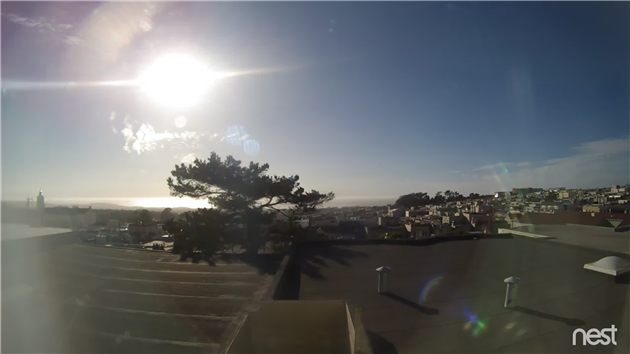
Nest (previously DropCam) can email you when it detects activity but that gets boring quickly. How about an email only when it sees something totally new?
The script below downloads a frame from a web cam and then calls the Google Cloud Vision API to label features. It keeps a record of everything that has previously been seen and only sends an email when a new feature is detected. You could easily tweak this to email on a specific feature (i.e. every time your dog is spotted), or to count the number of times a feature appears. I'm using a Nest cam but any security camera that has a publicly visible image download URL will work.
There is a bit of setup to get this working. Create a new Apps Script project in Google Drive and paste the code above in. You'll need to provide you own values for the three variables at the top.
OAuthCreds is the contents of the JSON format private key file for a Google Developer Console project. Go to the console, create a new project and enable the Cloud Vision API. You'll also need to enable billing (more on this below) - a trial account will work fine for this. Once the API is enabled create a service account under Credentials and download the JSON file. Just paste the contents of this into the script.
That's the hard part over. Now enter the URL of the image to monitor (see this post for instructions on finding this for a Nest / DropCam device) as MonitorImageUrl and your email address for SendEmailTo.
One last thing - follow the instructions here to reference the OAuth2 for Apps Script library.
Once this is all done run the script (the main() function) and authorize it. You should get an email with a picture attached and a list of the labels detected together with a confidence score from 0 to 1. If this doesn't happen check the logs (under the View menu).
You can now schedule the script to run repeatedly (Resources -> Current project's triggers). You get up to 1,000 units a month for free so once an hour should be safe. If you need more frequent updates check the Cloud Vision pricing guide for details.
After a few runs you should only get an email when something new is detected. If you're seeing too many wild guesses then add a filter on the score to exclude low confidence features.
Enjoy, and leave a comment if you have problems (or modify this in interesting ways).
A few people have asked for 3D shape support in my ESRI Shapefile library. I've never got around to it, but CodePlex user ekleiman has forked a version in his ESRI Shapefile to Image Convertor that supports PointZ, PolygonZ and PolyLineZ shapes. If that's what you need please check it out.