I finished off my BlogEngine.NET migration yesterday missing a couple of useful sections from the previous incarnation of this blog. The first is a list of the most popular posts based on Google Analytics data. I've just finished porting this from a UserControl to a widget for BlogEngine.NET. To use this just download and extract this zip file to your widgets directory:
You can see the widget in action under the Most Popular heading to the left if you're reading this post on the blog.
Most of the settings should be pretty obvious. The Google Analytics profile is the exception. This isn't the ID included in your tracking code. To get the profile log in to Google Analytics and click Edit next to the profile you want to use. At the top of the page you'll see a Profile ID. You need to use this number prefixed by ga: (i.e. ga:1234567). Once you have this and your account credentials entered you should be up and running.
The Post must match settings is a regular expression used to filter the Google Analytics report to only include blog posts. The default value corresponds to a default BlogEngine.NET install and only includes pages that start .../post/ (the regular expression is ^/post/). If your posts are under .../blog/posts/ then just update accordingly (^/blog/posts/). If you want to include the most popular pages regardless of the path just leave this setting blank.
If you have any questions or feature requests leave a comment below.
(Update June 22, 2010: I've released a tool, Blogger2BlogML, that converts Blogger's ATOM export file to BlogML. I ended up doing this because of problems with comments when I migrated this blog — I had to fix these up manually which was painful. I'm now working on some larger blogs where this would be impossible…)
In January I got an email from Blogger announcing that they're killing FTP support. Apparently only 0.5% of Blogger blogs are published using FTP and it's a huge pain to support, mainly because many hosting providers restrict FTP access to certain IP addresses and if the Google servers running Blogger that moment aren't listed it's technical support time.
Fair enough, but a bit painful for me as I have five blogs running on top of Blogger. I need FTP publishing as the templates I use end up running as ASP or ASP.NET pages. I Thought He Came With You is the first to move - if you're reading this post then it's up and running on BlogEngine.NET. This is an open source ASP.NET blogging platform. If it works out for this blog over the next month I'll start migrating the others.
Getting up and running with BlogEngine.NET is easy enough - download the latest release and follow the getting started guide. I added the default install to a new Visual Studio web site project and was able to run it fine in the development server, no need to configure IIS.
The challenge was moving posts and comments from Blogger into BlogEngine.NET. BlogEngine.NET happily imports and exports BlogML, Blogger spits out it's own Atom export format.
Luckily Aaron Lerch has knocked up a PowerShell script to export Blogger to BlogML. This takes your Blogger ID as a parameter and exports all the blogs associated with that ID. You can just pull the <blog> element you need out of the export if necessary. If you use this tool follow the syntax closely from the example on the post. If you're new to PowerShell run this as administrator to start with and enter "Set-ExecutionPolicy RemoteSigned" to give permission to run the script. Then exit and run a non-admin instance of PowerShell to run the script.
After getting the export BlogEngine.NET refused to import it. I kept getting an invalid username or password error from the BlogML importer. Digging into the code a bit I found that a crash was occurring in api/BlogImporter.asmx when a blank category was passed to AddCategories(). I patched this function to skip blank/null categories and was then able to import successfully. I added a bug report for the problem so please vote for it if you hit the same issue.
The blog was in pretty good shape after the import. Categories were lost so I had to create them again in BlogEngine.NET and then apply them to each post. I also found that the date for comments had been set to the date they were imported. This can be fixed by editing each post directly (the files in App_Data\posts). I fixed the timestamps and also added back the URL for each comment where I had one from Blogger. I also edited my own comments to match my new BlogEngine.NET account so they got decorated as "by the author".
At this point the blog was good to go, but using the default template.
I've now whipped up a new template to match the old blog - I was pleasantly surprised by how easy this was to do. At this point I Thought He Came With You is going live on BlogEngine.NET.
Almost everything is working at this point. I had a couple of user controls I need to move over - one shows the number of people who haven't visited the blog, the other figures out the most popular posts using the Google Analytics API. I'll see if I can implement at least the latter as a Widget so that other people can use it - watch this space (Update - now available here).
Overall, I'm impressed. I resisted the urge to just write my own blogging platform which is a testament to how easy it is to both get BlogEngine.NET running and to customize the look and feel. Now I just need to work up the enthusiasm to do the same for my remaining four Blogger based blogs...
I've just released v1.10 of my ESRI Shapefile Reader (Catfood.Shapefile.dll). This is a .NET 2.0 forward only parser for reading shapefile content.
Sharon Tickell was kind enough to report two bugs with suggested updates. These have both been fixed in 1.10.
While working on these fixes I also discovered that there are no 64-bit Jet drivers (since releasing the first version I've upgraded to a 64-bit box for development). This is an easy fix, just target any application using Catfood.Shapefile.dll at x86. I've updated the demo application accordingly.
The Ambient Orb is (was) an LED illuminated globe designed to display subtle information - stock market prices, weather, etc. Normally the Orb is controlled via the pager network but you can buy (or build) a developer module and connect the Orb via your serial port.
I've used my Orb via both pager and serial port for a number of applications. I've just released a library - Ambient Orb Controller - on GitHub that supports both methods of control. I wrote the library to make it easier for me to gin up new Orb applications. If you use an Orb let me know what you come up with. Two of my favorites are using the Orb for continuous integration and as a music visualizer.
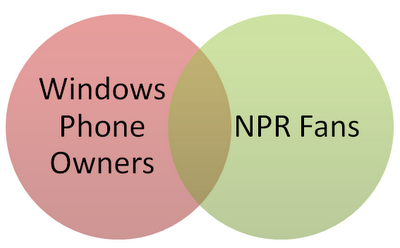
I'm occasionally jealous of an iPhone app, in this case a station finder for NPR.
I hate hunting on a long drive or in a strange city. Luckily, NPR has an
API, so I've whipped up an
NPR Station Finder for Windows Mobile.
I've been busy updating a couple of Catfood products.
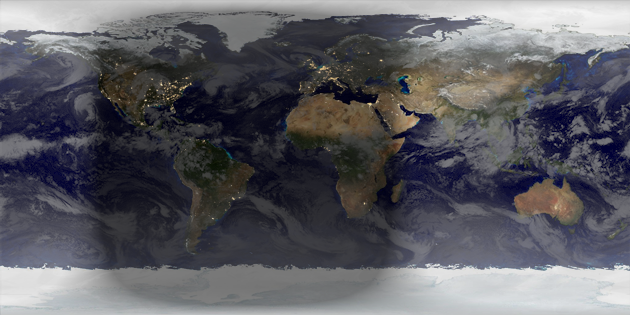
Catfood Earth updates your desktop wallpaper to show day,
night and cloud cover. It can also display earthquakes, time zones, places and US weather radar:
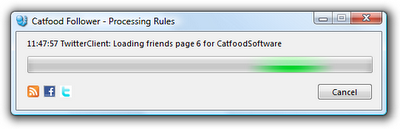
Catfood Follower is a Twitter tool that automatically follows people who follow you and/or removes friends who stop following you. I think it's most useful for business accounts:
With these two out the door my next project is overhauling the Catfood website.
I'm kind of dreading it, but the current architecture is over six years old and it's definitely showing its age.
Catfood.Shapefile is a .NET read-only, forward-only parser for Esri shapefiles. With Catfood.Shapefile it’s easy to enumerate all the shapes in a shapefile together with their metadata.
From version 2.00 Catfood.Shapefile is available via NuGet. It has also been migrated to .NET Standard 2.1. If you use an older version of .NET then you should continue using Catfood.Shapefile 1.60. The source code is on GitHub.
Esri (originally Environmental Systems Research Institute) shapefiles are a GIS (geographic information systems) file format that can store a wide variety of geographic information. I originally started working with these files to add country borders to Catfood Earth.
Shapefiles actually consist of a number of different files with different extensions. There are three mandatory extensions: .shp, .shx and .dbf and so a shapefile containing borders might be distributed as borders.shp, borders.shx and borders.dbf. The .shp file contains the actual shape data in vector format, often lines or polygons. The .shx file is an index to the shapes. Finally the .dbf file is a database of metadata associated with the shapes. Catfood.Shapefile requires only the .shp file for shape data and will provide metadata if at least the .dbf file is also available.
There are several optional extensions that might be included with a shapefile. .prj contains the geographical projection, .xml is an alternate metadata format, .sbn and .sbx index for spatial queries, and .cpg defines the code page used by the shapefile.
Here is some sample code for a .NET 6 console application to print basic information about a shapefile and the first point in the first polygon:
To use this, create a new console application, paste the code into Program.cs and add Catfood.Shapefile via NuGet.
The default constructor uses a database connection string that uses the Jet driver. This is only available for 32-bit applications and you will need to target Windows x86 to use it. An overload is available that allows you to specify a custom connection string to access metadata.
Catfood.Shapefile supports Null, Point, MultiPoint, PolyLine, PolyLineM and Polygon shapes. Three dimensional shapes (PointZ, PolyLineZ and PolygonZ) are not currently supported. There is also currently no support for writing shapefiles. If you add any of this please send a pull request on GitHub!
I am grateful to the developers who have contributed to Catfood.Shapefile over the years. Most are credited in the release notes below. If you need help or have feedback please leave a comment on this post.
I've just released v1.10 of my ESRI Shapefile Reader (Catfood.Shapefile.dll). This is a .NET 2.0 forward only parser for reading shapefile content.
Sharon Tickell was kind enough to report two bugs with suggested updates. These have both been fixed in 1.10.
While working on these fixes I also discovered that there are no 64-bit Jet drivers (since releasing the first version I've upgraded to a 64-bit box for development). This is an easy fix, just target any application using Catfood.Shapefile.dll at x86. I've updated the demo application accordingly.
I've just released a small update for my ESRI Shapefile Reader project on GitHub. The only change is a patch from SolutionMania that fixes a problem when the shapefile name is also a reserved name in the metadata database. The patch escapes the name preventing an exception from being thrown.
Catfood.Shapefile.dll is a .NET 2.0 forward only parser for reading an ESRI Shapefile. Download 1.20 from GitHub.
PolyLineM support in Catfood.Shapefile
I’ve just updated Catfood.Shapefile, my ESRI Shapefile parser for .NET, with PolyLineM support thanks to a contribution from Stephan Stapel. The solution for the new version has also been updated to Visual Studio 2010.
I’ve just released a small update to Catfood.Shapefile. Stephan Stapel, who implemented PolyLineM support, has contributed a patch that improves the class hierarchy. CodePlex user originSH suggested supporting the ACE driver for 64-bit systems. I’ve added a constructor overload that allows you to use predefined Jet and ACE connection strings or provide your own templates if necessary. Thanks to Stephan and originSH.
Catfood.Shapefile is a .NET library for enumerating ESRI shapefiles. I originally wrote the library to help me build some complex layers in Catfood Earth. Since then it’s picked up thousands of users and some really valuable suggestions and patches from the CodePlex community. I’m very glad a took a couple of hours to open source the library back in 2009.
Catfood.Shapefile 1.50
I've just released a small update to my C# Shapefile library on Codeplex. Catfood.Shapefile 1.50 fixes a couple of bugs related to metadata and adds the ability to access metadata records directly via IDataRecord.
Shapefile Update
A few people have asked for 3D shape support in my ESRI Shapefile library. I've never got around to it, but CodePlex user ekleiman has forked a version in his ESRI Shapefile to Image Convertor that supports PointZ, PolygonZ and PolyLineZ shapes. If that's what you need please check it out.
Catfood.Shapefile 1.60
I just released Catfood.Shapefile 1.60. This contains a fix from Libor Weigl that factors out the enumerator so that you can still access the shapefile after enumeration.
Catfood.Shapefile is a .NET library for parsing ESRI Shapefiles.
I just released Catfood.Shapefile 2.00, my .NET parser for ESRI Shapefiles.
The big change is that I have migrated to .NET Standard 2.0. This makes it possible to use from .NET Core as well as classic .NET Framework from 4.6.1 up. If you need to use an older version of .NET Framework then you'll want to stick with Catfood.Shapefile 1.60.
Catfood.Shapefile is now also available via NuGet. This is the recommended way to install. The source code is still available on GitHub.
Catfood.Shapefile 3.00
I just released Catfood.Shapefile 3.00 on NuGet and GitHub.
There is a breaking change with bounding boxes. The bounding box returned by the library has been broken since the first version. From 3.00 the correct bounding box is returned, but you can opt into the old behavior by passing BoundingBoxConvention.Legacy to the constructor.
DbfDataReader has replaced OleDb for accessing metadata. This will fix platform support issues for OleDb. It necessitated a move to .NET Standard 2.1, so use Shapefile 2.00 if you need .NET Standard 2.00.
I added support for missing shapes (M and Z variants mostly), and the library will now handle missing files so you can read shapes with just a .shp file if that's all you have.
Just got back from the StackOverflow DevDays event in San Francisco.
I was a bit worried that this would be overly focused on marketing FogBugz and StackOverflow. There were brief pitches on each (and I learned that
FogCreek is launching hosted source control and code reviews called Kiln, now in beta and looking pretty
nifty with tight integration with FogBugz) but this wasn't the focus.
I was also a little concerned that I'd be the only one there without a StackOverflow profile t-shirt.
Luckily I didn't see any reputation toting pod people at the conference.
Happily the day was very code oriented, and very diverse. Spell checking in Python, smartphone development for iPhone, Nokia
(via Qt) and Android, ASP.NET MVC and jQuery. I spend most of my time at the moment in C#/.NET and it was really valuable to spend a day
briefly diving into different stacks and platforms.
Joel said that they'd be back next year and I'm hoping that it offers a similar diverse range of topics.
I've just migrated this blog from catfood.net to its own domain. In the process I needed to port the template from classic ASP to ASP.NET and I also wanted to end up with valid XHTML.
If you're using blogger on your own domain then you're using the classic templates. There is a known issue with the template tag that causes Blogger to emit unwanted JavaScript - this causes havoc, especially if you're using the tag in the section of a page.
Google recommends using the <$blogpagetitle$> tag in the page title. This works, but it's not great from a usability or SEO perspective. For item pages you get the post title after the blog name and you probably want to put the post title first - the earlier that keywords appear in the title the better for search engine ranking.
Luckily there's an easy fix - just comment out the closing Blogger tag:
This doesn't interfere with the template rendering correctly and the JavaScript is then commented out on the rendered page. It's still an unpleasant bug, so if you use the classic templates please report it here and also star or comment on this forum topic to encourage Google to fix it.
If you use labels then Blogger includes them in a paragraph rendered with <$blogitembody$>. This means that wrapping <$blogitembody$> in a paragraph will cause XHTML validation errors for posts with labels because you can't nest another block element inside the paragraph.
The other XHMTL nasty I fixed was the post comments link. My template used the recommended Blogger code:
p>ahref="$BlogItemCommentCreate$>" $BlogItemCommentFormOnClick$>>Post a Commenta>p>
This renders as:
p>ahref="https://www.blogger.com/comment.g?blogID=12345678&postID=1234567890123456789" location.href=https://www.blogger.com/comment.g?blogID=12345678&postID=1234567890123456789;> Post a Commenta>p>
And you end up with a gazillion cascading XHTML errors, all caused by the illegal ampersand. I fixed this by constructing my own comment URL using the <$blogitemnumber$> tag (this emits the unique Post ID):
p>ahref="https://www.blogger.com/comment.g?blogID=12345678&postID=$BlogItemNumber$>"> Post a Commenta>p>
I've been experimenting with the best way to merge two images in C#. That is, paint one image on top of another with some level of transparency as opposed to using one color as a transparency mask. I tried three candidates, all included below:
SimpleBlend is the naive approach using GetPixel and SetPixel to add the desired alpha value to the second image before painting it on top of the first.
MatrixBlend configures a ColorMatrix to specify the desired alpha and then paints the second image on to the first using the matrix.
ManualBlend locks and directly manipulates the image data. This uses pointers and so introduces unsafe code (it's possible to marshal the image data into a managed array but I wanted to look at the performance with raw access).
I tested each approach ten times with a couple of large JPEG images. The results are:
I expect ManualBlend could be optimized further but both this and MatrixBlend are an order of magnitude faster than the naive approach. I'll be using MatrixBlend as no unsafe code is required.