Catfood Earth 5.00
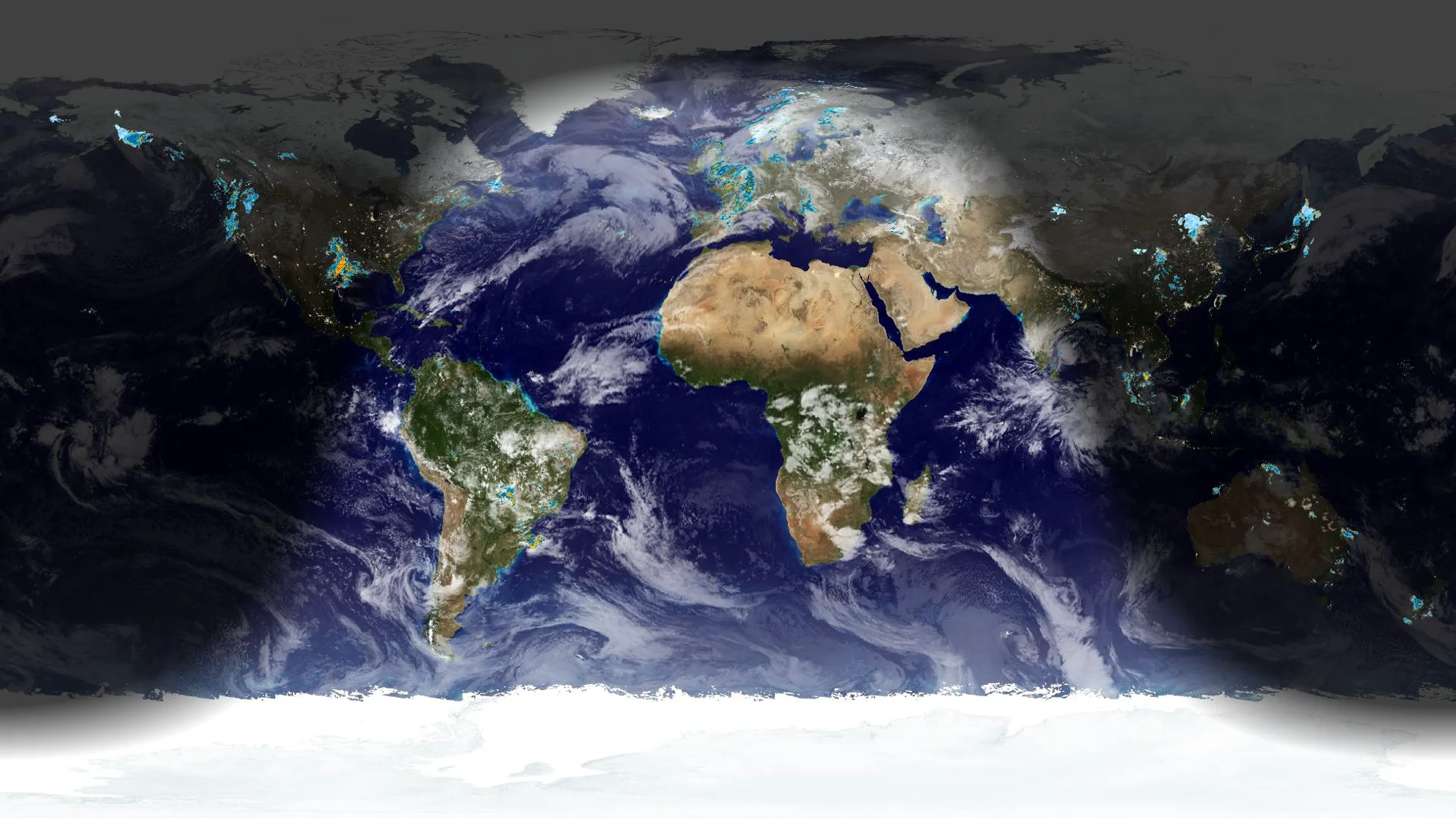
Catfood Earth 5.00 adds global weather radar, a new cloud layer option, and better support for multi-monitor systems.
In addition to the new features Catfood Earth 5.00 is now distributed through the Microsoft Store. If you have 4.41 or any previous release please uninstall from Apps > Installed apps in Windows Settings before upgrading. Your settings will be preserved. Install 5.00 by searching for Catfood Earth in the Microsoft Store (or directly here). Future updates will be delivered automatically.
If you enjoy Catfood Earth please take a moment to rate and review in the Microsoft Store app. You must be signed in to leave a rating. I'm brand new in the store and a few reviews would really help make the product more visible. Thank you! Catfood Earth is free and ad-free, I work on it just for the pleasure of seeing people use it.
The new global weather radar option adds a 4K overlap from RainViewer. You can still manually add a comma separated list of US weather radar stations.
Under clouds you can choose between Global IR and Global Composite. The composite version has been available off-menu for a while but is now an officially supported option. Composite means that infrared and visible images are combined, resulting in more cloud detail in the visible spectrum. The trade off is that the composite image sometimes has artifacts between the different bands. Use the IR version if you prefer a smoother but less detailed image.
If you have multiple-monitors you can now choose to stretch the image across displays instead of repeating it. Choose Span across displays under Wallpaper > Layout and then click Adjust map placement... to fine tune. You can pan and zoom the image as needed to suit your setup. Earth remembers this setting per monitor configuration.
Lastly, Catfood Earth Settings has been modernized (WinUI / .NET 10). Most settings are in roughly the same place so navigation should be easy if you have used Catfood Earth before. There used to be an installed shortcut to select the Catfood Earth Screensaver. This is now a button in Catfood Earth Settings under Wallpaper > Startup. Use this rather than attempting to select the screensaver manually. Themes are now under Wallpaper > Layer Presets.
I hope you enjoy Catfood Earth 5.00. This is a significant release, and the move to the Microsoft Store should be a big improvement for upgrades as well as making the product easier to find and install for new users. If you have any questions or if something isn't working right for you please leave a comment below.

Robert Ellison's blog, I Thought He Came With You, on the Fediverse via fed.brid.gy. Photography, time lapse, programming, politics, hikes and more.
Add Comment
All comments are moderated. Your email address is used to display a Gravatar and optionally for notification of new comments and to sign up for the newsletter.